Lesson 1Not recorded
Welcome & the Idea
You want to keep a record of your travels, and this time you build the app with agents without trusting them blindly. A look at the finished, live travel log and the three modules that get you there.
A hands-on video course for founders building with AI: the setup, the checks and the workflow that turn a vibe-coded prototype into a product you can launch and stand behind.
No spam. One email when doors open.
Playing loads the video from Bunny (BunnyWay d.o.o., Slovenia), which receives your IP address, browser and referrer. See the privacy policy.
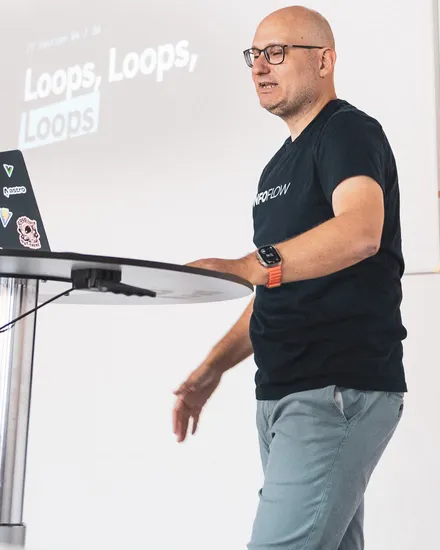
Hey, I'm Florian.
I ship software for a living, for real customers on production systems. For the last year I've been doing it with coding agents, inside the same strict process everything else goes through.
I learned the hard way that the model was never the bottleneck. The platform around it is. Everyone starts by vibing. This course covers what comes after, when you want to trust the agent with your codebase.
If you've felt that gap between a demo that dazzles and a product you'd dare to put in front of paying customers, this is for you.
— Florian van der Galiën


The curriculum
24 lessons in 3 modules, numbered in the order you watch them. One travel-log app grows from an empty repository to a live deployment, and every lesson leaves something true in your own repo.
Module 01 · Lessons 1–8
The travel log goes from an empty repository to a running Astro app, with real entries, a design of its own, and the rules and skills the agent works by.
You want to keep a record of your travels, and this time you build the app with agents without trusting them blindly. A look at the finished, live travel log and the three modules that get you there.
Claude Code, Codex, OpenCode: before the travel log has a single file, you need to know what to start with. Compare the harnesses around the model, and learn to pick a model for the task in front of you.
The agent scaffolds the Astro project and wants to install fourteen packages in one go. Check each one with npmx, Socket and e18e before it lands.
The agent ignores your conventions and reaches for commands you never wanted run. Write the project rules into AGENTS.md or CLAUDE.md, and set its permissions on purpose.
The agent writes code against an Astro API that no longer exists. Give it web search and the current docs through the context7 MCP server, and see what MCP is for.
What is a travel entry, exactly: a place, a date, photos, a route? Write it down as a spec, then let /grill-me question it until the gaps show.
Creating every entry by hand gets old by the third one. Build a “new entry” skill, and dictate your trips to it in voice mode.
It works, but it looks like every template. Give the agent a design direction and point it at the references it should work from.
Module 02 · Lessons 9–16
Under the finished look are bugs nobody checked. The same travel log moves onto a real database and gets tests, reviews and accessibility, and the agent learns to check its own work.
One run of tsc and the linter turns up dozens of errors from eight lessons of vibe. Set up oxfmt, oxlint and tsc as a feedback loop the agent runs on its own.
An entry without a date takes down the whole overview. Have the agent write unit tests with Vitest and end-to-end tests with Playwright, and read them before you trust them.
“It works,” says the agent, without ever having seen the page. Let it check its work in the browser with the Playwright CLI, and give the travel log WebMCP tools of its own.
Searching and filtering across every trip is hard work with Markdown files. Move the travel log onto Postgres, and let the agent check the data itself through a database MCP server.
Five commands to check a change, and the agent forgets one every time. Bundle formatting, lint, types, tests and the browser check into a single /verify skill.
Who checks the agent that wrote the code? Add a code review, and an adversarial one from a subagent or the Codex CLI that looks for ways the change can fail.
After the move to the database, dead Markdown code is still lying around. fallow finds dead code and duplicates, and /simplify clears them out.
With a keyboard or a screen reader, you cannot get through a single trip. Audit the travel log with the agent, and keep the fixes in place through /verify.
Module 03 · Lessons 17–24
Several agents build in parallel, overnight too, and every change arrives as a pull request that CI reviews. At the end, the travel log is live.
Trip statistics and a map are too much for one agent’s context. A main agent plans the feature, and subagents build the parts.
Two features at once, and both dev servers fight over port 4321. Give each feature its own git worktree, and let Portless hand out the addresses.
Everything lands straight on main, and nobody has looked at it. Let the agent open and work through pull requests with gh, or merge requests with glab or MCP.
Plan, build, /verify, review: the same steps every time. Wrap the whole sequence in one skill that ends with a pull request.
Close the laptop in the evening, find checked results in the morning. Set up a worker box over Tailscale, keep an eye on its agents with herdr or T3 Code, and let them loop until /verify is green.
Reviews that only run locally get forgotten. Move the agent review into the pipeline so it runs on every pull request.
So far it only runs on your machine. Host the travel log with Docker, give the agent deployment URLs to check before a change ships, and handle secrets properly.
From the first idea to the live app, with every line yours to answer for. Look back over the course and put together the workflow you will keep.
Module 01 · Lessons 1–8
You want to keep a record of your travels, and this time you build the app with agents without trusting them blindly. A look at the finished, live travel log and the three modules that get you there.
In your repo You have an empty repository for your travel log and know what the finished app should do.
Claude Code, Codex, OpenCode: before the travel log has a single file, you need to know what to start with. Compare the harnesses around the model, and learn to pick a model for the task in front of you.
In your repo You have chosen the harness and the model you will build the travel log with.
The agent scaffolds the Astro project and wants to install fourteen packages in one go. Check each one with npmx, Socket and e18e before it lands.
In your repo Your travel log runs locally as an Astro project, and you have checked every dependency it installs.
The agent ignores your conventions and reaches for commands you never wanted run. Write the project rules into AGENTS.md or CLAUDE.md, and set its permissions on purpose.
In your repo Your repository holds the agent’s rules in AGENTS.md or CLAUDE.md, and its permissions are set on purpose rather than left at the defaults.
The agent writes code against an Astro API that no longer exists. Give it web search and the current docs through the context7 MCP server, and see what MCP is for.
In your repo Your agent has web search and the context7 MCP server, and uses them to work from the current Astro docs.
What is a travel entry, exactly: a place, a date, photos, a route? Write it down as a spec, then let /grill-me question it until the gaps show.
In your repo Your repository has a spec for travel entries that has been through /grill-me.
Creating every entry by hand gets old by the third one. Build a “new entry” skill, and dictate your trips to it in voice mode.
In your repo Your repository has a “new entry” skill, and your first real trips are in the travel log as content collection entries.
It works, but it looks like every template. Give the agent a design direction and point it at the references it should work from.
In your repo Your travel log has a design of its own and looks like a product, not a template.
Module 02 · Lessons 9–16
One run of tsc and the linter turns up dozens of errors from eight lessons of vibe. Set up oxfmt, oxlint and tsc as a feedback loop the agent runs on its own.
In your repo Your travel log is formatted, lints clean and passes its type checks, and the agent runs all three itself.
An entry without a date takes down the whole overview. Have the agent write unit tests with Vitest and end-to-end tests with Playwright, and read them before you trust them.
In your repo The entry flow in your travel log is covered by Vitest and Playwright tests that pass.
“It works,” says the agent, without ever having seen the page. Let it check its work in the browser with the Playwright CLI, and give the travel log WebMCP tools of its own.
In your repo Your agent checks its changes in the browser with the Playwright CLI, and your travel log offers WebMCP tools.
Searching and filtering across every trip is hard work with Markdown files. Move the travel log onto Postgres, and let the agent check the data itself through a database MCP server.
In your repo Your travel log reads its entries from Postgres, and your agent can query that database through an MCP server.
Five commands to check a change, and the agent forgets one every time. Bundle formatting, lint, types, tests and the browser check into a single /verify skill.
In your repo Running /verify in your repository checks formatting, lint, types, tests and the browser in one go.
Who checks the agent that wrote the code? Add a code review, and an adversarial one from a subagent or the Codex CLI that looks for ways the change can fail.
In your repo Every change to your travel log gets a second opinion from a reviewing agent, an adversarial one included.
After the move to the database, dead Markdown code is still lying around. fallow finds dead code and duplicates, and /simplify clears them out.
In your repo Your travel log no longer carries dead code or duplicates from its Markdown days, and fallow confirms it.
With a keyboard or a screen reader, you cannot get through a single trip. Audit the travel log with the agent, and keep the fixes in place through /verify.
In your repo Your travel log works with a keyboard and a screen reader, and /verify catches it if that breaks.
Module 03 · Lessons 17–24
Trip statistics and a map are too much for one agent’s context. A main agent plans the feature, and subagents build the parts.
In your repo Your travel log has trip statistics and a map, built in parts by subagents.
Two features at once, and both dev servers fight over port 4321. Give each feature its own git worktree, and let Portless hand out the addresses.
In your repo You have built two features of your travel log at the same time, each in its own worktree with its own dev server.
Everything lands straight on main, and nobody has looked at it. Let the agent open and work through pull requests with gh, or merge requests with glab or MCP.
In your repo Changes to your travel log reach main through pull requests the agent opens, not through direct commits.
Plan, build, /verify, review: the same steps every time. Wrap the whole sequence in one skill that ends with a pull request.
In your repo One /orchestrate command takes a task in your repository to a verified, reviewed pull request.
Close the laptop in the evening, find checked results in the morning. Set up a worker box over Tailscale, keep an eye on its agents with herdr or T3 Code, and let them loop until /verify is green.
In your repo Agents work on your travel log unattended on a machine of your own, and their results wait for you as pull requests.
Reviews that only run locally get forgotten. Move the agent review into the pipeline so it runs on every pull request.
In your repo Every pull request to your travel log gets an agent review in CI, without you starting it.
So far it only runs on your machine. Host the travel log with Docker, give the agent deployment URLs to check before a change ships, and handle secrets properly.
In your repo Your travel log is live, deployed with Docker, and its secrets are not in the repository.
From the first idea to the live app, with every line yours to answer for. Look back over the course and put together the workflow you will keep.
In your repo You have picked the parts of this course’s workflow you will carry into your own projects.
Built in the open: a lesson tagged Not recorded is planned, not filmed yet. Titles and summaries are drafts until its video is cut.

Who's teaching
I'm a full-stack developer in a Web Dev & AI unit. I work with Astro, Vue, Supabase and a stack of coding agents on a product team where “just paste it into the chatbot” was never an option. I gave the “Beyond The Vibe” talk at the University of Bayreuth; enough people asked “how do I actually do this?” that I turned it into a course.
I build software a company depends on, with real customer data and GDPR to answer to. I hold AI to that bar, and the course teaches you to do the same.
Husband, father of two. I don't think the job is shrinking; it's moving from typing lines to designing the systems agents work in.
I'll email you once when the course goes live, with no launch hype and no drip sequence.
Check your inbox.
If confirmation is needed, we'll send a 24-hour link to .
Anything else? Email me. I answer every one. (yes, personally)
Yes, if you're willing to get your hands dirty. You won't write much code yourself (that's rather the point), but you will set up real tools: a terminal, git, CI. For every step I explain why it matters as well as what to click.
A prototype that works in a demo is a long way from a product people pay for. Those tools are great for the first version. This course covers what comes next: giving the AI real context, making it prove its work, and running the project so you can ship every week without hoping nothing broke.
Yes, and that is a good reason to do it properly. The docs, checks and workflow the course sets up are what a new developer needs on day one. They get a project with a paper trail instead of a pile of generated code nobody can explain.
Not if your workflow is “prompt, eyeball the diff, hope”. The course starts where autocomplete and chat stop: it gives agents the context, verification loops and infrastructure to work without you watching every keystroke.
Mainly Claude Code, with Codex CLI as a second opinion. The levers the course teaches (context, verification, infrastructure) carry over to whatever agent wins next year, and the tool-specific parts are marked as such.
That is up to you. 24 lessons, numbered in the order you watch them, everything unlocked from day one: no start date, no group to keep up with, and nothing expires. I will confirm lengths as I cut each video. Each lesson ends with something true in your own repo, not a quiz, and so does the course: when you're caught up, the app sends you back to your repo, not to a certificate.
Models change; the system around them doesn't. A better model makes good context, verification and infrastructure more useful, because they're what let you hand it more work. The course also keeps growing after you buy it, and you choose how long you get the new lessons: for a year, or for as long as I keep adding them.
Two options at checkout: $149 for twelve months of new lessons, or $249 for lifetime. Both unlock every lesson that exists the day you buy, and both keep it — nothing you already have access to ever expires. The difference is what comes later: the first includes every new lesson published in the twelve months after your purchase, the second every lesson I add for as long as the course runs. Prices are in US dollars plus your local tax, which the checkout adds for your country.
Yes. From twelve months to lifetime at any time, for the difference. Mail me at flori@beyondthevibe.dev and I sort it out — there is no self-service button for it yet.
Full refund within 14 days of purchase, no reason needed — just mail me. Payment and receipts are handled by Polar, the merchant of record. A refund ends your access to the lessons; your account stays.